
Somewhere between the third password reset of the week and the fifth “your storage is full” notification, cloud security stops feeling urgent. That is exactly the moment attackers count on.
Files that once lived on a single office server now scatter across a dozen platforms — email, backup drives, shared folders, project boards — and each one is a door. Some doors get locked properly. Plenty do not.
Cloud storage earned its popularity honestly: cheap, flexible, accessible from anywhere with a signal. That same openness is the weak point. A misconfigured folder, a reused password, an employee clicking the wrong link at 4:45 on a Friday — any one of these turns convenience into catastrophe.
Treating cloud data like valuables in a locker, not files sitting on a shelf, changes the entire posture. Below sit eleven specific practices that build that locker-grade discipline, drawn from federal guidance and established security frameworks rather than guesswork.
1. Encrypt Data Both At Rest and In Transit
Encryption is the difference between a stolen laptop being a minor inconvenience and a full-blown breach notification. Data sitting untouched in storage needs protection just as much as data moving between a device and a server.
- Use AES-256 encryption for anything stored, since it remains the accepted standard across nearly every major cloud provider.
- Require TLS 1.2 or higher for data in motion; TLS 1.3 for anything built fresh today.
- Confirm whether the provider handles encryption automatically or whether configuration falls on the customer — assumptions here cause more breaches than attacks do.
Details on which standards apply where are laid out clearly in NIST’s cloud encryption guide, including how encryption keys should stay separate from the data they protect. That separation matters more than most people assume; a key sitting next to its lock defeats the purpose entirely.
2. Enforce Multi-Factor Authentication Without Exception
A password alone is a single point of failure, full stop. Multi-factor authentication adds a second checkpoint that a stolen password cannot cross on its own.
Prioritize rollout across:
- Admin and owner-level cloud accounts first, since a compromised admin account exposes everything downstream.
- Shared drives containing financial, legal, or customer data.
- Any account with delete or overwrite permissions.
The National Cybersecurity Alliance’s guidance on account protection frames MFA as a second lock on a digital door — simple in concept, disproportionately effective in practice. Skipping it because “it’s just one more step” is the same logic that leaves a physical locker unlocked because closing it felt like enough.
3. Apply the Principle of Least Privilege
Not everyone on a team needs access to everything. Yet default settings on most cloud platforms hand out broad permissions because broad permissions are easier to configure quickly.
- Grant access based strictly on job function — a marketing contractor rarely needs access to payroll folders.
- Review permission levels quarterly, not once at setup and never again.
- Remove access immediately upon role changes or departures; lingering credentials from former employees remain one of the most common overlooked entry points.
4. Follow the 3-2-1 Backup Rule
A cloud account is not automatically a backup. Files deleted, corrupted, or encrypted by ransomware inside the primary storage system can vanish from every synced copy simultaneously if that is the only place they live.
- Keep three total copies of critical data.
- Store those copies across two different media types.
- Keep one copy offsite or offline, disconnected from the network entirely.
CISA’s guidance on backing up business data walks through exactly why this structure matters, particularly given how often ransomware now targets backup repositories directly before encrypting anything else. Recovery without a clean, isolated backup can take weeks. Sometimes it never happens at all.
5. Audit Cloud Configurations Regularly
Misconfiguration, not sophisticated hacking, causes most cloud breaches. A folder set to “anyone with the link” instead of “specific people only” sits quietly exposed until someone notices, often after damage is done.
- Schedule configuration reviews monthly for actively used storage.
- Check sharing settings on folders, not just individual files, since permissions often cascade in ways nobody intended.
- Use built-in security scoring tools most major providers now offer free of charge.
6. Monitor Access Logs and Set Alerts
Cloud platforms quietly record who accessed what and when. Most organizations never look. That log becomes invaluable the moment something goes wrong, and priceless if reviewed before something goes wrong.
- Enable alerts for logins from unfamiliar locations or devices.
- Flag bulk downloads, a common signature of data exfiltration.
- Review logs after any employee departure, confirming access actually stopped rather than assuming it did.
7. Vet Third-Party App Integrations Carefully
Every app connected to a cloud account is a new door with its own lock, and that lock is only as strong as the third-party developer made it. A scheduling tool, a design plugin, a productivity extension — each one gets access to whatever permissions were granted at installation, sometimes far more than the task requires.
- Review the permission scope requested before approving any integration.
- Disconnect apps no longer in active use; forgotten integrations rarely get security patches.
- Prefer vendors that publish clear security certifications over ones that do not.
8. Train Staff to Spot Phishing and Social Engineering
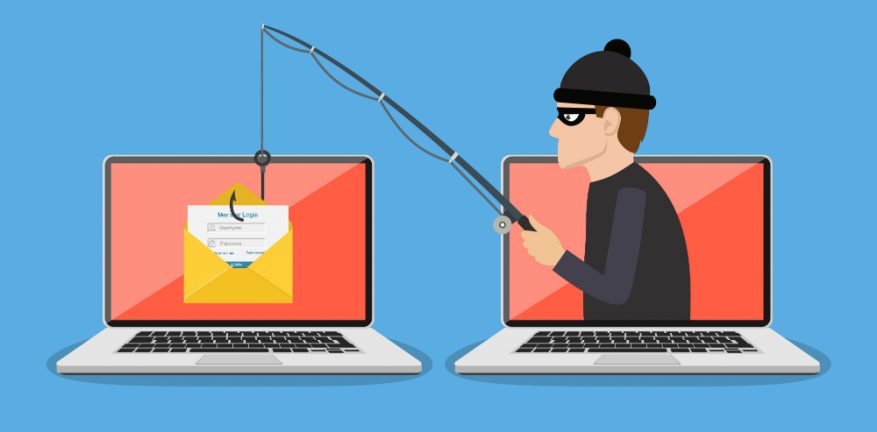
Technology stops most attacks. People let the rest through. A convincing email asking someone to “verify” cloud credentials remains one of the fastest ways into an otherwise well-secured system.
- Run simulated phishing tests periodically, not as punishment but as practice.
- Teach staff to check sender addresses closely, since lookalike domains fool even careful readers.
- Establish a clear, blame-free process for reporting suspicious messages quickly.
9. Classify Data Before Deciding Where It Lives
Not all files carry equal risk. Treating a lunch menu draft with the same security posture as a customer database wastes resources on the trivial while sometimes under-protecting what actually matters.
- Separate data into tiers: public, internal, confidential, restricted.
- Apply the strictest controls only where genuinely warranted.
- Store the most sensitive tier — financial records, health data, legal documents — with additional encryption layers beyond the platform default.
10. Choose Providers Aligned with Recognized Security Frameworks
Not every cloud provider treats security with equal seriousness, and marketing claims rarely match technical reality. Independent frameworks exist precisely to cut through that noise.
CISA and NSA’s joint cybersecurity guidance outlines specific practices worth confirming before signing any contract: identity management controls, key management processes, and how a provider handles risk from its own subcontractors. A provider unwilling to answer these questions directly is answering them anyway, just not in a reassuring way.
11. Test Recovery Procedures, Not Just Backup Creation
A backup that has never been restored is a theory, not a plan. Plenty of organizations discover their backup was corrupted, incomplete, or simply untested only after an actual emergency arrives.
- Run quarterly restore drills covering both single files and full systems.
- Time the recovery process; slow recovery during a real incident compounds the damage.
- Document the process so recovery does not depend on one specific employee’s memory.
Locking the Door for Good
Cloud security rarely fails because of one dramatic breach. It erodes gradually — a skipped update here, an overly generous permission there, a backup nobody tested. Each shortcut feels small in isolation. Together, they build the exact gap attackers look for.
None of the eleven practices above demand an enormous budget or a dedicated security team. Most start with a settings menu and an afternoon of attention.
Treating cloud storage with the same seriousness given to a physical safe — locked, monitored, and checked regularly — closes the gap between convenience and vulnerability before it ever gets tested by someone looking to exploit it.
Also Read: