
Profit does not always disappear because a business has a bad product or weak sales. Sometimes it leaks away through small things: unpaid invoices, missed leads, hours spent copying data between spreadsheets, unnecessary meetings, poor scheduling and marketing work that produces little in return.
That is where business software can earn its keep.
The right app can remove a tedious task from the daily workload. Another might help close sales faster. A third could show exactly where money is going each month. None of this means a small company needs 20 different subscriptions. In fact, too many tools can create a problem of their own.
The smarter approach is to find the bottlenecks first and then choose software around them.
The following 15 apps and tools cover some of the areas where small businesses commonly lose time and money.
1. QuickBooks Online
Financial admin is rarely anyone’s favourite part of running a company, but ignoring it can become expensive.
QuickBooks Online brings income, expenses, invoices, payments and financial reports into one place. Bank transactions can be connected to reduce some of the manual work involved in recording business activity.
The practical benefit is not just cleaner accounts. It becomes easier to spot unpaid invoices, unnecessary expenses and changes in cash flow.
For a small business, knowing what has actually been earned is far more useful than simply looking at the balance in a bank account.
Useful features include:
- Invoicing and payment tracking
- Expense recording
- Bank feeds
- Profit and loss reports
- Tax records
- Financial reports
Good bookkeeping will not increase sales overnight. It can, however, prevent money from quietly slipping through the cracks.
2. HubSpot CRM
A surprising number of sales opportunities are lost for a simple reason: nobody followed up.
HubSpot CRM gives businesses a central place to store customer details, leads, conversations and deals. Instead of keeping prospects in spreadsheets, notebooks and email inboxes, sales information can be organised around individual contacts.
That matters when the number of enquiries starts increasing.
A CRM can also show where a prospect sits in the sales process. Has a proposal been sent? Is a follow-up due? Has the customer gone quiet?
Those questions become easier to answer.
For a small company that relies on enquiries and repeat business, getting better at follow-up can be more valuable than spending more money on advertising.
3. Trello
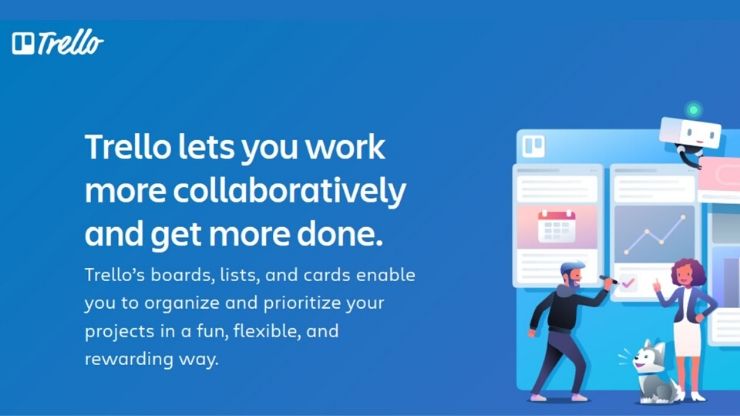
Small teams often operate through a strange mixture of WhatsApp messages, emails, spreadsheets and memory.
That works until it doesn’t.
Trello takes a simpler approach. Tasks are placed on boards and moved through stages such as “To Do,” “In Progress” and “Done.”
A website redesign, for example, could have separate cards for content, design, development, testing and launch. Deadlines and checklists can sit inside those cards.
It is basic by design, and that is part of the appeal. A complicated project management system is not useful if nobody wants to open it.
4. Canva
Small businesses need visual content constantly. Social posts, presentations, flyers, promotional graphics and simple advertisements all require design work.
Canva makes many of those jobs quicker by providing templates and ready-made design elements.
That does not mean every Canva design will look professional automatically. Poor choices can still produce poor marketing. The difference is that a business does not need to build every graphic from a blank page.
Brand colours, fonts and reusable templates can also be stored for future campaigns.
For a small marketing team, that can save a considerable amount of time over a year.
5. Google Workspace
A business can have excellent employees and still have terrible file management.
One document sits on a laptop. Another is attached to an old email. A spreadsheet has three versions, and nobody knows which one is current.
Google Workspace helps bring everyday work into a shared environment through Gmail, Drive, Docs, Sheets, Meet and related services.
Multiple people can work on documents without constantly sending revised copies back and forth.
The software itself is only half the solution, though. Folder naming, access permissions and basic document rules still need attention. Otherwise, the digital filing cabinet becomes just as chaotic as the physical one.
6. Microsoft 365
For businesses already dependent on Word, Excel and Outlook, Microsoft 365 remains difficult to ignore.
Excel alone can handle everything from basic cash-flow tracking to detailed sales reports and inventory records. Outlook combines email and calendars, while OneDrive provides cloud storage.
Microsoft Teams adds meetings, messaging and collaboration.
The strongest reason to use Microsoft 365 may be familiarity. Employees who already know the software can get productive without spending weeks learning a new system.
That matters for a small business where every hour counts.
7. Zapier
There is a certain type of business task that nobody should have to do manually.
Copying a new website enquiry into a spreadsheet is one example. Sending a notification after a form submission is another. Creating the same customer record in three different applications is worse.
Zapier connects different services and triggers actions automatically.
A simple workflow might look like this:
New website enquiry → CRM contact created → sales task added → team notification sent.
Once configured correctly, the process runs without someone repeatedly moving information from one application to another.
The financial benefit comes from those small savings adding up. Ten minutes saved once means little. Ten minutes saved every working day is another story.
8. Stripe
A sale is not really a sale until the money arrives.
Stripe provides payment infrastructure for online businesses, including card payments and recurring billing for subscription services.
A straightforward checkout process can remove unnecessary friction. That matters particularly for businesses selling digital services, subscriptions or products online.
There is another reason payment software deserves attention: administration.
Automated payment records and recurring billing can reduce some of the manual work associated with collecting money from customers.
Fees vary according to the service and transaction type, so the pricing structure should be checked carefully before choosing a payment provider.
9. Calendly
“How about Tuesday?”
“No, Wednesday works better.”
“What time?”
“Morning?”
It sounds harmless. Repeat that conversation dozens of times each month and a lot of working hours disappear.
Calendly lets people choose available meeting times through an online booking page. Calendar integration helps prevent double bookings and removes much of the back-and-forth.
Consultants, recruiters, agencies, coaches and other appointment-based businesses can make particularly good use of it.
The small convenience is the point. Customers get a time slot. Staff get a scheduled meeting. Fewer emails are needed.
10. Mailchimp
Finding a new customer can require considerably more work than keeping an existing relationship active.
Email marketing platforms such as Mailchimp allow businesses to send newsletters, product announcements, promotions and automated messages to subscribers.
A retailer might use email to announce a new collection. A software company could send product updates. A consultancy might distribute useful industry information.
The trick is not sending more email. It is sending email that has a reason to exist.
Constant discounts can train customers to wait for the next promotion. Useful content, timely offers and sensible segmentation generally make for a healthier mailing list.
11. Hootsuite
Social media becomes a chore when every post has to be created and published at the last minute.
Hootsuite allows businesses to prepare and schedule content across supported social networks from a central platform.
A week’s worth of posts can be planned in advance rather than interrupting other work every morning.
Scheduling is only one part of the equation. Performance data can also help identify which posts are getting attention and which ones are effectively shouting into an empty room.
That information should influence future content rather than simply filling up a reporting spreadsheet.
12. Notion
Every small company has information that exists only in someone’s head.
The password is known by one employee. The process for handling refunds is known by another. Nobody remembers how a particular customer issue was solved six months ago.
Notion can be used to build an internal knowledge base containing procedures, meeting notes, project information, onboarding material and company documentation.
This becomes increasingly useful as a business hires people.
Documentation may feel like slow work when everything is going smoothly. It becomes much more valuable when someone leaves, a new employee joins or an unusual problem appears.
13. Google Analytics

Website traffic can look impressive while producing very little revenue.
Google Analytics helps businesses examine where visitors come from, what pages they view and which actions they take after arriving.
The useful questions are not simply “How many visitors came today?”
Better questions include:
- Which marketing channel brings enquiries?
- Which pages lead to sales?
- Where are visitors leaving?
- Which campaigns generate useful traffic?
- What content attracts potential customers?
Those answers can change how a marketing budget is spent.
There is little value in attracting thousands of visitors who have no interest in the product being sold.
14. Grammarly
A typo in an internal message is rarely a disaster. A typo in a proposal, sales email or customer response can create a different impression.
Grammarly checks writing for spelling, grammar, clarity and tone.
For businesses producing a large amount of written communication, it can provide a useful second pair of eyes.
Still, software suggestions should not be accepted blindly. Business writing often depends on context, industry terminology and the relationship with the recipient.
A tool can flag awkward wording. It cannot understand every customer situation.
15. ChatGPT
AI tools have moved from being experimental technology to something many businesses now use for routine work.
ChatGPT can assist with tasks such as drafting product descriptions, brainstorming marketing ideas, summarising documents, creating first drafts of emails, generating content outlines and explaining technical concepts.
The strongest use case is often not producing a finished piece of work from one prompt. It is reducing the amount of time spent staring at a blank page.
For example, a business owner could use AI to create an initial outline for a customer FAQ and then edit the material using real company information.
Sensitive business information should be handled carefully, and AI-generated material should be reviewed before publication or customer use.
How to Pick the Right Business Tools
Buying software is easy. Getting value from it is harder.
A small business does not need every popular productivity app. Ten subscriptions can create more administration than they remove.
Start with the most expensive problem.
If unpaid invoices are hurting cash flow, look at accounting and invoicing software. If leads are being forgotten, consider a CRM. If employees are spending hours on repetitive data entry, automation may offer a better return.
Before paying for a new tool, check:
- Total monthly and annual cost
- Number of users included
- Integration options
- Data export options
- Security and access controls
- Training requirements
- Customer support
- Cancellation terms
Free trials can also reveal something that a feature list cannot: whether staff will actually use the software.
Final Thoughts
Technology does not make a small business profitable by itself.
A new CRM cannot fix a weak sales process. An accounting platform cannot compensate for uncontrolled spending. A social media scheduler cannot rescue content that customers do not care about.
The value comes from matching a tool to a real business problem.
QuickBooks can tighten financial management. HubSpot can organise sales leads. Zapier can remove repetitive work. Calendly can reduce scheduling headaches. Google Analytics can show whether website traffic is producing anything useful.
The best software is often the tool that quietly saves time every day without becoming another thing that needs managing.
For a small business, that can be worth far more than another flashy feature.
Also Read: