

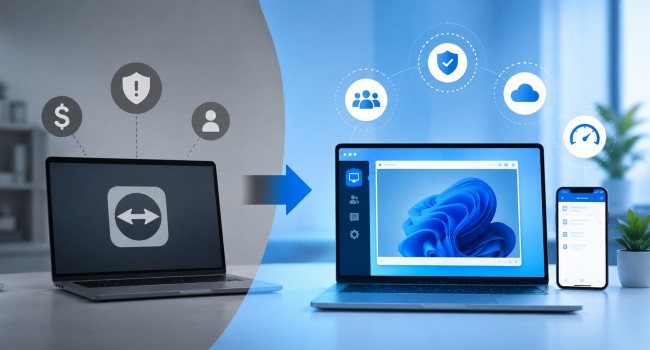
Remote access software has become a business-critical tool, and many organizations are discovering that the platform they chose years ago no longer fits what they actually need.
TeamViewer built its reputation on broad compatibility and a feature-rich interface, and for a segment of users it remains a reliable choice. But a growing number of businesses, particularly small and mid-sized teams, are actively evaluating alternatives.
The reasons are consistent across industries: pricing that has outpaced budget realities, licensing structures that do not reflect how teams actually work, and the emergence of capable alternatives that deliver comparable functionality at a fraction of the cost.
The Pricing Pressure That Drives the Switch
The most common driver behind businesses switching away from established remote access software is cost. For teams that have been on a platform for several years, annual renewal conversations often bring a moment of reckoning.
The cost that felt reasonable when a team was smaller can become difficult to justify when the price per seat is weighed against how frequently the software is actually used.
TeamViewer’s commercial plans start at $24.90 per month for a single-user Remote Access plan and climb to $229.90 per month for the Corporate tier, with all plans billed annually.
For solo users and small IT teams, the single concurrent connection limit that applies even at mid-tier price points means paying a significant premium for access that may sit idle for much of the working day.
Organizations that evaluate the cost per active session often find the economics harder to defend than they initially appeared.
The subscription model itself has also been a recurring friction point. Users who previously held perpetual licenses and transitioned to annual subscriptions have described the shift as a substantial cost increase, and the lack of a monthly billing option means organizations must commit to a full year upfront regardless of how their usage patterns change.
What the Switch Actually Looks Like in Practice
For most organizations, the decision to switch remote access platforms does not happen overnight. It typically begins with a pricing conversation at renewal time, followed by a competitive evaluation during which alternatives are trialed against the incumbent.
Trial periods that allow full feature access without a credit card commitment reduce the friction of this evaluation and give IT teams the opportunity to validate performance and compatibility before making a commitment.
The migration itself, moving existing device configurations and access controls to a new platform, is often simpler than organizations anticipate.
Most modern alternatives are designed to be deployed quickly across a device fleet, and the documentation supporting enterprise rollouts has improved substantially as the category has matured.
Organizations that have managed the switch report that the transition cost in IT time is typically offset within the first billing cycle by the reduction in software spend.
The affordable TeamViewer alternative for businesses that provides the strongest case across pricing, security, and performance is one that organizations can evaluate directly through a trial rather than relying on feature comparison tables alone.
The differences that matter most in day-to-day use, session quality, connection reliability, and the responsiveness of the support team, are best assessed through direct experience rather than specification sheets.
Licensing Structures That Do Not Match How Teams Work
Beyond raw price, the structure of remote access software licensing matters significantly for how organizations budget and scale.
Plans that tie seat counts to concurrent connections, or that limit managed devices in ways that quickly create pressure to upgrade, can make the effective cost considerably higher than the headline price suggests.
For managed service providers and IT support teams that handle multiple client environments, the concurrent connection constraint is a practical limitation.
A team of technicians who may need to run overlapping support sessions encounters a structural ceiling that requires either purchasing add-ons, upgrading to a higher tier, or managing session queues in ways that affect service quality.
The calculation of which plan actually covers real-world usage patterns often results in a cost profile that sits at the high end of what was budgeted.
Understanding SMB remote software ratings from G2’s Spring 2026, The Small-Business Grid Report shows that the most affordable remote desktop solutions for small businesses now include options priced on a per-concurrent-user basis rather than per seat, which can be considerably more cost-effective for teams where technicians share access across overlapping work patterns rather than needing simultaneous individual licenses.
What Businesses Are Looking for in an Alternative
Organizations that decide to evaluate alternatives are typically looking for a combination of factors: pricing that scales proportionally with usage, a licensing model that reflects how their team actually operates, security standards that meet business requirements, and a quality of remote access performance that does not degrade on typical business internet connections.
Security is non-negotiable for most business use cases. Platforms that have experienced high-profile security incidents in their history, as established remote access tools have on occasion, prompt IT teams to scrutinize security architecture more carefully during replacement evaluations.
Encryption standards, two-factor authentication, session controls, and audit logging are all areas where alternatives must match or exceed what the incumbent platform provides.
Ease of deployment is another consistent priority. IT teams that have spent time managing complex license structures or troubleshooting compatibility issues during software updates look for alternatives that offer straightforward rollout, reliable update management, and a support experience that responds promptly when issues arise.
The Role of Performance in Platform Decisions
Session performance is a functional requirement that affects whether a remote access platform is genuinely usable rather than just technically available. Slow frame rates, input lag, and disconnections on ordinary business network connections make support sessions frustrating for both technicians and end users.
Organizations that support customers or employees over variable internet quality have a particularly high bar for connection reliability.
Cross-platform access matters for teams managing mixed device environments. The ability to connect from Windows to Mac, from mobile to desktop, and across different operating systems without requiring separate client applications or workarounds reduces operational friction and training overhead.
The shift to hybrid and fully remote work has also raised the bar for what constitutes acceptable performance.
Technicians who previously connected to devices on the same local network now often work from home across residential internet connections, and the platforms they depend on need to maintain session quality under conditions that differ significantly from the controlled environments those platforms were originally tested against.
Why the Alternative Category Has Matured
Remote access as a software category has matured considerably over the past several years. The tools that compete with established platforms are no longer early-stage products with feature gaps.
They are purpose-built platforms that have accumulated years of production use across large customer bases, developed enterprise-grade security architecture, and optimized performance for the range of network conditions that businesses actually operate across.
Data from independent software review platforms reflects this shift. According to Capterra’s rankings for small business remote desktop software in 2026, alternatives to legacy platforms now occupy the top positions in user satisfaction for small business use cases, with recommendation rates exceeding 90 percent among verified reviewers.
The combination of competitive pricing, reliable performance, and a security architecture designed for business use has closed the gap that once made incumbents the default choice by default rather than by merit.
Frequently Asked Questions
1. What are the most important factors to evaluate when switching remote access platforms?
The most important factors are pricing model fit, concurrent connection capacity relative to team size, security standards including encryption and two-factor authentication, cross-platform compatibility, and performance quality across variable network conditions.
Organizations should also assess vendor support quality, deployment simplicity for the size of device fleet they manage, and whether the trial period provides enough time to validate the platform under realistic usage conditions.
2. Is switching remote access platforms disruptive to IT operations?
The disruption level depends on the size of the device fleet and the complexity of the existing configuration. Most modern alternatives are designed for streamlined deployment and provide migration guidance for organizations moving from established platforms.
For small to mid-sized teams, the transition is typically manageable within a planned change window. Larger organizations with more complex environments should plan the migration in phases, beginning with a pilot group before a full rollout.
3. How do businesses typically evaluate whether a remote access alternative is worth switching to?
Most businesses begin with a free trial that allows them to test the platform with a representative sample of their device fleet and use cases.
Key evaluation criteria include connection quality on typical business and home network conditions, ease of deployment and configuration, performance when managing multiple simultaneous sessions, security feature completeness, and responsiveness of the vendor support team when questions arise during the trial period.
Also Read:
