

Anyone who has worked with Outlook long enough already knows the story. OST files live locally and sync with the Exchange or Outlook server.
Things go fine… until they don’t. Maybe the profile gets inaccessible, maybe the Exchange server died, or maybe Outlook is not opening because of a large or inaccessible OST file.
At that point, your only real lifesaver is the ability to convert that encrypted, inaccessible OST into a usable PST file. And that’s where tools like Stellar Converter for OST step in.
Over the last month, I’ve used it on five different machines, ranging from an older Windows 10 laptop to a fairly new Windows 11 workstation, each with a different type of OST issue.
Here’s what I learned.
What does the Stellar Converter for OST actually do?
If I simplify it: the tool opens an OST file without depending on the server, reads all the mailboxes inside it, and lets you convert OST to PST file in a clean, structured format. And you can export the data into a new Outlook PST, or even extract individual items like emails, contacts, and calendars.
This is different from simply accessing an OST file. When an OST becomes orphaned or inaccessible. You can’t open it, and Outlook won’t read it. What you need is extraction and reconstruction.
And that’s exactly the job of a dedicated OST to PST Converter.
Installation and first impressions
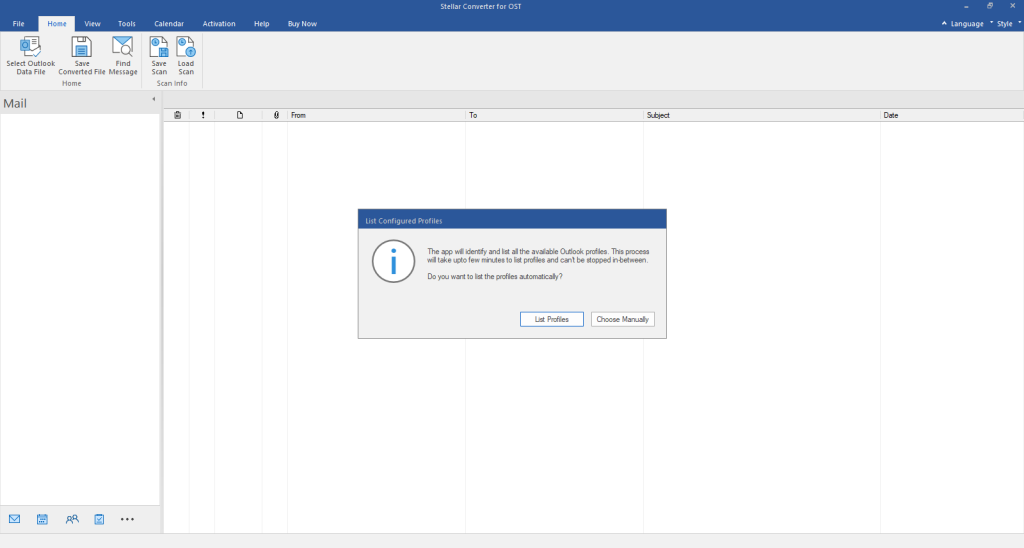
The installation is fast and doesn’t bundle anything unnecessary. The interface is clean, probably one of the more straightforward ones I’ve used in this category. No clutter, no hidden features, no confusing layout. It opens with a single prompt asking you to either select the OST manually or let it locate automatically.
If your user doesn’t know where their OST file is, the auto-detect feature is a huge relief.
In my tests, the tool detected the OST almost instantly on four out of five machines.
Scanning speed and performance
Once you load the OST file, the scan begins. Now, this is where many tools get painfully slow. I’ve seen some converters take 30–40 minutes on a 15 GB OST.
Stellar Converter for OST surprised me here.
On a 9.7 GB OST file, the scan took about 12 minutes on a mid-range laptop (i5 with 8GB RAM). The same file on a more powerful desktop took around 7 minutes. Smaller files, 2 GB or under, barely took 2–3 minutes.
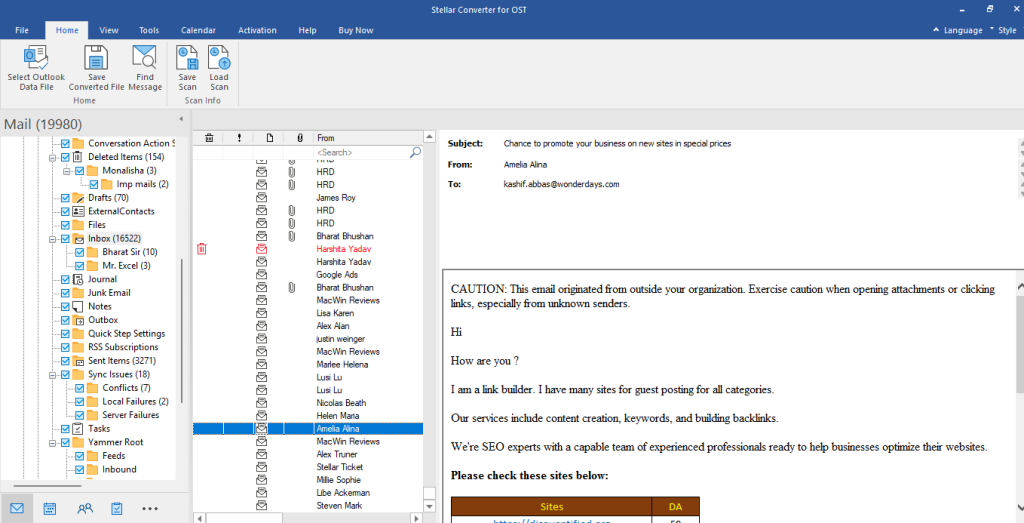
More importantly, the preview loads instantly after scanning. Emails, contacts, folders, calendars, everything appears in the original hierarchy. Even the ones Outlook was refusing to show earlier.
This is where the tool feels polished. The preview is clean and you can browse the file before the OST to PST conversion even begins.
Conversion quality and accuracy
This is the part I was most skeptical about. Converting an OST is easy. Converting it accurately, with attachments intact, folder structure preserved, and no broken items.
After converting multiple files, here’s my honest take:
- Folder hierarchy stays exactly the same
- HTML and RTF email formatting remain untouched
- Inline images show correctly
- Attachments remain attached
- Calendar entries convert without shifting time zones
- Contacts come through cleanly
One thing I always test in OST converters is how they handle inaccessible sections. Many tools simply skip inaccessible elements or mark them as empty. Stellar doesn’t magically convert everything, but it manages to extract more usable items than most tools in its category.
On one machine, the primary inbox folder had corruption. Outlook couldn’t open it at all. Stellar Converter for OST extracted about 95 percent of the emails cleanly. That’s significantly better than what I’ve seen with competing tools.
Advance-saving options
Once the scan is done, you can save data in multiple formats:
- PST (obvious, and most used)
- MSG
- EML
- RTF
- HTML
For IT teams, these options matter. Sometimes a user wants only their contacts exported. Sometimes only calendar events. Sometimes they want everything in one PST.
What I also liked was the option to filter and export selectively. For instance:
- Convert only specific folders
- Export only emails from a date range
- Export only emails from particular user
In real-world scenarios, this saves a lot of time and storage.
Handling large OST files
This is where I found the real value. A 22 GB OST file from a Windows 11 machine belonged to a sales guy who kept every email since 2014. Outlook refused to open it.
Stellar Converter for OST scanned it in about 21 minutes and exported the PST in roughly 18 minutes.
That might sound long, but trust me—large OST files are a nightmare. The fact that it finished successfully without crashing was impressive.
Don’t Need Outlook profile or Exchange account
This is a big plus. You don’t need the user profile or Exchange account credentials.
This matters most when:
- the user has left the company
- the AD account is disabled
- the mailbox is no longer on the server
- only the OST file remains on the disk
In these cases, Stellar Converter for OST becomes your only realistic option to retrieve the data.
Usability for non-technical people
If you’re thinking this tool is only for IT, not really. I gave it to a non-tech colleague who had an inaccessible OST file on their laptop. They managed to convert it without any guidance.
The UI helps. Every step feels natural:
Step 1: Select the OST File
Choose the OST file manually or use the auto-detect option to let the software locate it automatically.
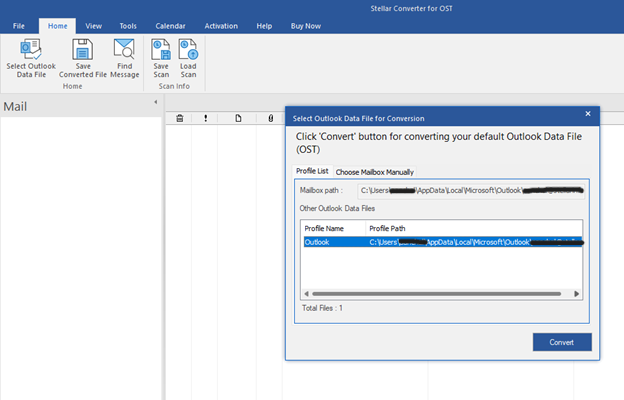
Step 2: Scan the File
Initiate the scanning process to analyze the OST file and identify all recoverable mailbox items.
Step 3: Preview the Data
Once the scan is complete, review the mailbox items (emails, contacts, calendars, etc.) in the preview window with the original folder structure.
Step 4: Convert the Data
Choose the desired output format (PST or other supported formats) and proceed with the conversion.
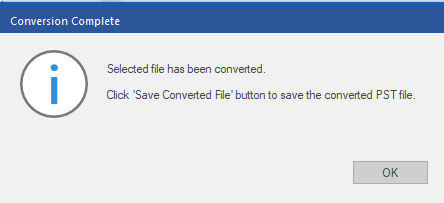
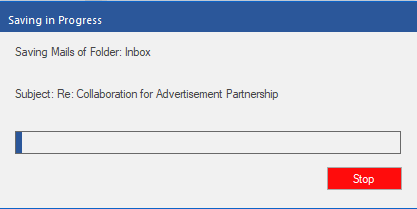
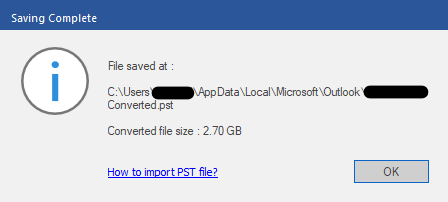
Step 5: Save the PST File
Save the converted PST file to your preferred location and import it into Outlook whenever required.
Limitations I observed
No tool is perfect, so here are the areas where I think Stellar Converter for OST could improve:
- The free version only previews items, it doesn’t save them.
Other than these, I didn’t encounter anything.
Who should actually buy it?
From my experience, Stellar Converter for OST helps three kinds of users:
1. IT admins and support engineers
You can’t rely on manual hacks when an executive is standing behind you waiting for their mailbox. The tool gives predictable outcomes every time.
2. Businesses that offboard employees
When user accounts get deleted from the server but their OST files remain, this is the only way to extract the emails legally and safely.
3. Normal users with Outlook issues
If Outlook keeps crashing, refuses to load the profile, or shows send/receive errors—converting the OST to PST is often the only solution.
How it compares with manual methods
People often ask whether they can convert an OST to PST manually.
Technically yes… but only if:
- Outlook is working
- The profile is active
- The mailbox still exists on the server
If any of these conditions fail, manual methods collapse instantly.
This is why dedicated OST to PST conversion software is essential. In real life, 80 percent of OST issues happen when manual methods are no longer an option.
Final verdict
After using Stellar Converter for OST across different systems and scenarios, here’s the bottom line:
If you want a dependable and easy-to-use tool to convert OST to PST file, this one delivers. It handles corruption better than most tools I’ve used, preserves structure, works fast, and doesn’t demand technical expertise.
I’ve tested enough OST converters to know that a lot of them fail silently, crash on large files, or produce PST files that Outlook refuses to open. Stellar Converter for OST didn’t give me those headaches.
Would I recommend it to an IT team? Yes. Without hesitation.
Would I recommend it to regular Outlook users struggling with an inaccessible mailbox? Also yes.
It’s not flashy, but it does exactly what it promises, and does it consistently.If you value time and need reliable Outlook OST to PST conversion, Stellar Converter for OST is worth having in your toolkit.
Also Read:
